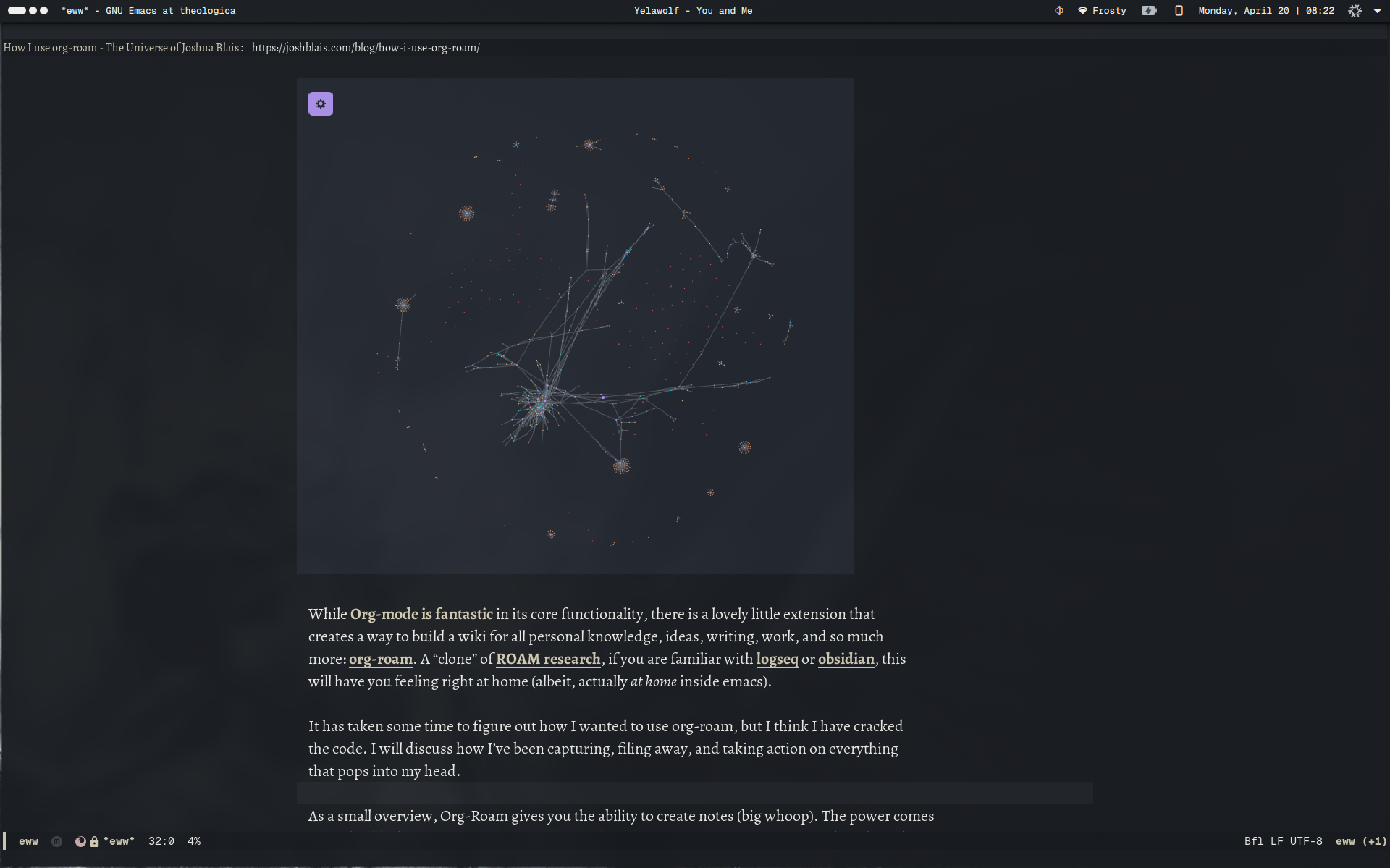
In my ever-increasing desire to use emacs as my sole computing environment, I have started to take browsing the web inside it far more seriously. Where I previously had thought EWW to be a niceity but far from capable, after using it for a few days it seems to be useable for about 85-90% of use cases - even on the javascript riddled hellhole that is the internet.
Why?#
I have seen in my own use of the modern browser (chromium/firefox) that it is far too easy to get distracted - too easy to get off track and fall down rabbit holes that take over my day. There are infinite suggestions as to how I should spend my time, uncountable shiny objects that take my eye off the prize that is Creativity and Depth. This has been momentously negated with EWW (or any terminal browser, lynx or browsh for the non-emacs users).
In addition to this, my belief is that we should make strides toward leaving behind Layer 8 of the internet - the limiting frontends of social platforms and locked away corners of the net that limit actual discourse (Discord, I’m looking at you). We have given up far too much to big tech platforms, and gotten nothing of value in return, to the point that many now think the internet is dying.
The internet is just a delivery mechanism, and for people that see it for what it really is, the internet has never been more alive. I truly recommend using the internet as if it was 1999.
Even on my phone, I’ve stopped using javascript frontends and embraced using eww in emacs (in termux), only falling back to fennec for about 5-10% of usecases:
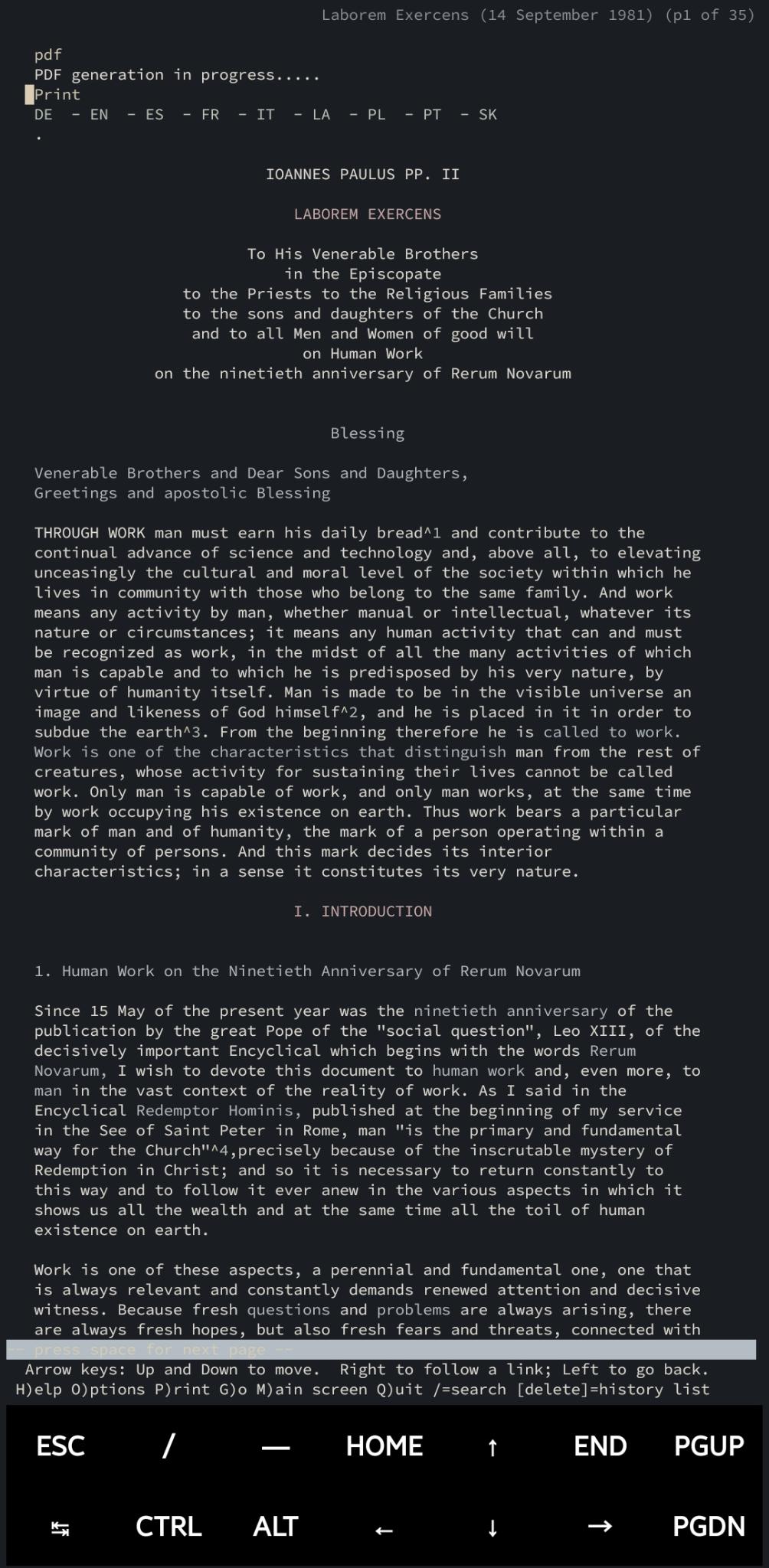
I find this way of using the internet far higher in signal than any other method, allowing me to look up information, read documentation, and produce more.
How I am doing this#
For the uninitiated, emacs ships with EWW (Emacs Web Wowser) permitting you to browse the web with image and gif (when did gifs die, I almost never see them these days!) support directly inside Emacs.
I have some sane defaults that permit ease of use such as using B for back, U for yanking url at point, and a few built in functions.
Hitting R will invoke eww readable which is similar to reader mode in firefox, removing headers and footers and focusing in on the text on page. Useful.
You can send the page to your default browser with &. If a page doesn’t render nicely, this is a good fallback.
D will download images locally, b goes back a page, a will save bookmarks. All of this makes browsing in eww truly enjoyable.
I have also set .pdf to open in emacs, .mp4 and youtube/video hosting links to open in mpv, and gopher/gemini links to open in elpher. Elpher is the EWW for the gopher and gemini protocols, the smolweb that is all signal and no noise.
EWW uses Shr to render html, so you will see some callouts to that in my configuration below:
My browser.el setup:#
Here’s how I have configured EWW to work in my Emacs configuration:
(setq eww-search-prefix "https://searx.labrynth.org/search?q=")(setq eww-download-directory (expand-file-name "~/Downloads/"))
(defun my-browse-url-mpv (url &rest _args)  "Open URL in mpv."  (start-process "mpv" nil "mpv" url))
(defun my-browse-url-pdf (url &rest _args)  "Fetch remote PDF and open in pdf-tools within Emacs."  (let ((tmp (make-temp-file "emacs-pdf-" nil ".pdf")))    (url-copy-file url tmp t)    (find-file-other-window tmp)    (pdf-view-mode)))
(setq browse-url-handlers      '(("\\(youtube\\.com\\|youtu\\.be\\|vimeo\\.com\\|twitch\\.tv\\)" . my-browse-url-mpv)        ("\\.mp4$" . my-browse-url-mpv)        ("\\.pdf$" . my-browse-url-pdf)        ("^gemini://" . elpher-browse-url-elpher)        ("^gopher://" . elpher-browse-url-elpher)        ("." . eww-browse-url)))
;; Keep your fallback setting(setq browse-url-secondary-browser-function 'browse-url-generic      browse-url-generic-program "chromium")
(with-eval-after-load 'eww  (define-key eww-mode-map (kbd "=") #'text-scale-increase)  (define-key eww-mode-map (kbd "-") #'text-scale-decrease)  (define-key eww-mode-map (kbd "0") #'text-scale-adjust))
(setq shr-width 100)(setq shr-max-width 120)(setq shr-indentation 4)
(setq shr-use-fonts nil)(setq shr-max-image-size '(800 . 600))(setq shr-image-animate t)
(defun my/eww-download-image-at-point ()  "Download image at point to `eww-download-directory'."  (interactive)  (let ((url (or (get-text-property (point) 'image-url)                 (get-text-property (point) 'shr-url))))    (if (not url)        (message "No image at point")      (let* ((filename (file-name-nondirectory (url-filename (url-generic-parse-url url))))             (dest (expand-file-name filename eww-download-directory)))        (url-copy-file url dest t)        (message "Saved: %s" dest)))))
;; Keybinds(with-eval-after-load 'eww  (define-key eww-mode-map (kbd "b") #'eww-back-url)  (define-key eww-mode-map (kbd "a") #'eww-add-bookmark)  (define-key eww-mode-map (kbd "U") #'shr-copy-url)  (define-key eww-mode-map (kbd "D") #'my/eww-download-image-at-point))
(provide 'browser)
My default search engine is my own Searx instance, a privacy respecting frontend that amalgamates all other search engines.
Limitations#
You will not be watching youtube videos or reading Tweets (x.com is adversarial to non-JS supported browsers). You will not be using social media, nor will you be logging into any platforms. You will not be doing your online banking, filling in government forms, or viewing client portals.
The usecase is quick web searches, documentation, and reading blogs generally. Once more, hitting & in any web page will bring up your default browser to continue your session in chromium or firefox when you do run into pages that don’t work well in EWW.
Conclusion#
I have reverted all my url functions to default to browsing in EWW, so any web interaction must first go through EWW. This has encouraged me to deeply consider what I am doing online first and foremost, and then only falling back to a modern browser when needed. I have been pleasantly surprised with how much I am able to do inside emacs, and continue to move toward using it as my computing environment in perpetuity.
As always, God bless, and until next time.
If you enjoyed this post, consider Supporting my work, Checking out my book, Working with me, or sending me an Email to tell me what you think.