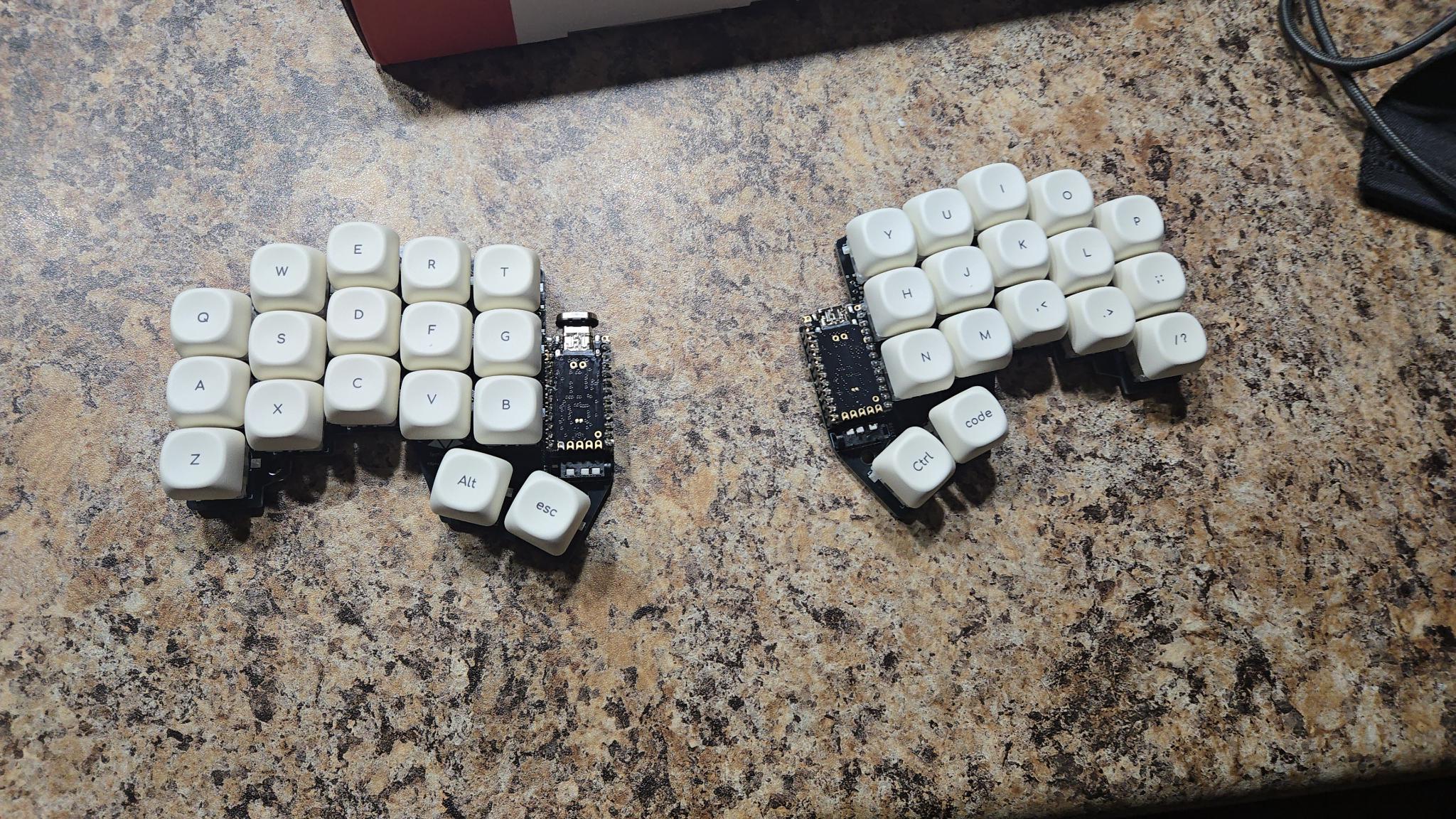
For 6 years or so, I have been down the custom, split, ergonomic keyboard rabbit hole. And, since running a few different boards, I have found what I like and dislike in a board - to the point that it sounded like a good idea to build one that ticked all the boxes of preferences - 34 keys, MX switches, wired (more reliable than battery and stops the need to charge occasionally). I had my eye on a few, and decided on the Ferricy. This will be a bit of a build log as to my findings, the parts list, and how it all came together.
Parts list and price#
I will layout the part list and what I spent to get everything into my garage and ready to solder together. Links included if you would like to support my work!
10x PCBs: for 25 USD of which was shipping)#
Switches - 40x TTC Frozen Silent V2: $52.86 CAD (including shipping)#
20x TRRS jacks: $11.39 CAD#
110x Hotswap sockets: $25.66 CAD#
2x Controllers - 0xCB Helios: $55.36 CAD (including shipping)#
Keycaps - Offwhite KOA caps: $35.13 CAD#
Machine pins/sockets: $13.29 CAD#
Tools:#
Soldering Iron - Fnirsi HS02a: $110 CAD#
Multimeter - Fluke 107: $126 CAD#
- Leads: $36 CAD
Fume extracting fan: $60 CAD#
Hakko Tip Cleaner (Bronze Sponge): $18 CAD#
Solder Sucker: $24 CAD#
Consumables:#
Solder - Towot: $15 CAD#
Solder wick & Flux - Towot: $15 CAD#
Case - I haven’t done a case, might run it naked#
Hardware (standoffs, screws)#
TOTAL build cost (without tools): $240 CAD#
I have an excess of many of the materials still, I can reuse the keys/switches/controllers. My friend also built a board, and we still have 6 left over PCBs. The real cost per board is probably around $150 CAD per board, and could be lower if using different controllers and 3D printing the keys yourself.
TOTAL with all tools and consumables: $644#
I aimed to have the tools to be “buy it for life”, consumables are purchased intermittently, and allow for additional projects. The flux would probably last 20 keyboards if I were to build them as such.
Build log#
I made a post/video about my soldering experience, and due to buying a “legacy” iron, I had a not super fun time in trying to get the joints to meld with the conical tip of my Weller WE1010 station. I ended up sending it back and getting a JBC compatible USB-C iron instead.
I would say that soldering is not the hardest thing in the world, but it did take some troubleshooting. That’s why I got a multimeter, to track traces and see where I went wrong. Visually, I could see one crossed connection on one of my Helios microcontrollers that would cause it to infinitely bootloop. I plugged both halves into my computer, flashed QMK, and realizied none of my keys were being recognized…
What I actually forgot to do was close the solder pads on the bottom of the keyboard. So, I took it back to the garage and 5 minutes and some drag soldering later, I was rolling!
With all keys being recognized, I could tell that the “w” key as a cold joint as it wasn’t firing very nicely, so I walked out to the garage and reflowed the joint in 20 seconds. Other than that, the board appears to be working flawlessly a couple days on.
Thoughts#
So far, the switches and keycaps are fantastic. I love the silence, the speed is just as good as the choc, perhaps slightly better as there is more “springyness” to my keystrokes with the 40g of the TTC Frozen Silents.
I configured QMK strictly with C and no visual editor, which is a bit of a departure from my ZMK days and Nick Coutsos’s keyboard editor. I had to figure out homerow mods, with the clanker I was able to time them properly without much issue. I ran into a hiccup regarding VIA, as it was blocking my parenthesis from properly getting pressed, so I just removed it and went full (C)had.
Will I get rid of my chocofi? No, I think it’s a pretty good travel board without the wires, but I find the wired connection to be slightly more responsive and less fiddly (I’ve run into bluetooth connection issues in the past). With this board, I can just plug it in and go. From a security perspective, wired boards are superior as well, so if that’s a consideration for you, I’d recommend the wire. Get yourself some of these USB-C magnet connectors, they’re pretty comfy.
Is this then “endgame of endgame keyboards” for me? Only time will tell. All I know now is that soldering is not some illusive mystical practice, so I think there will be many more projects in the future.
As always, God bless, and until next time.
If you enjoyed this post, consider Supporting my work, Checking out my book, Working with me, or sending me an Email to tell me what you think.